




The Portfolio Launchpad - Wix Portfolio Website Template
The Portfolio Launchpad
Wix Portfolio Website Template & Setup Bundle
Who this is for
You're a freelancer, creative, or solopreneur who needs a proper online home -- somewhere that shows off your work, lets clients book you, and actually looks the part. The Portfolio Launchpad gives you a fully built, beautifully designed Wix portfolio website -- transferred directly into your Wix account -- plus everything you need to fill it in, set it up, and go live with confidence. No developer. No guesswork. No starting from a blank page.
What's included
The Wix Portfolio Website Template -- Gradient Edition
A bold, gradient-styled portfolio site transferred directly into your Wix account, pre-loaded with placeholder content and instructions throughout:
Home page -- hero, about snippet, services snapshot, recent projects, CMS-powered testimonials, logo strip, and contact form
About Me page -- full bio, qualifications section, brand story, and contact form
Projects page -- filterable gallery with 3 category tabs, CMS-powered
Individual project pages -- one dynamic design that automatically creates a page for every project you add
Book Online page -- fully-themed booking system through to checkout, including service pages, booking calendar, side cart, and thank you page
Blog -- card layout with placeholder posts ready to personalise
Contact Me, Privacy Policy, and Accessibility Statement pages -- pre-built and ready to populate
Already mobile optimised. CMS-powered so you can update everything from your phone.
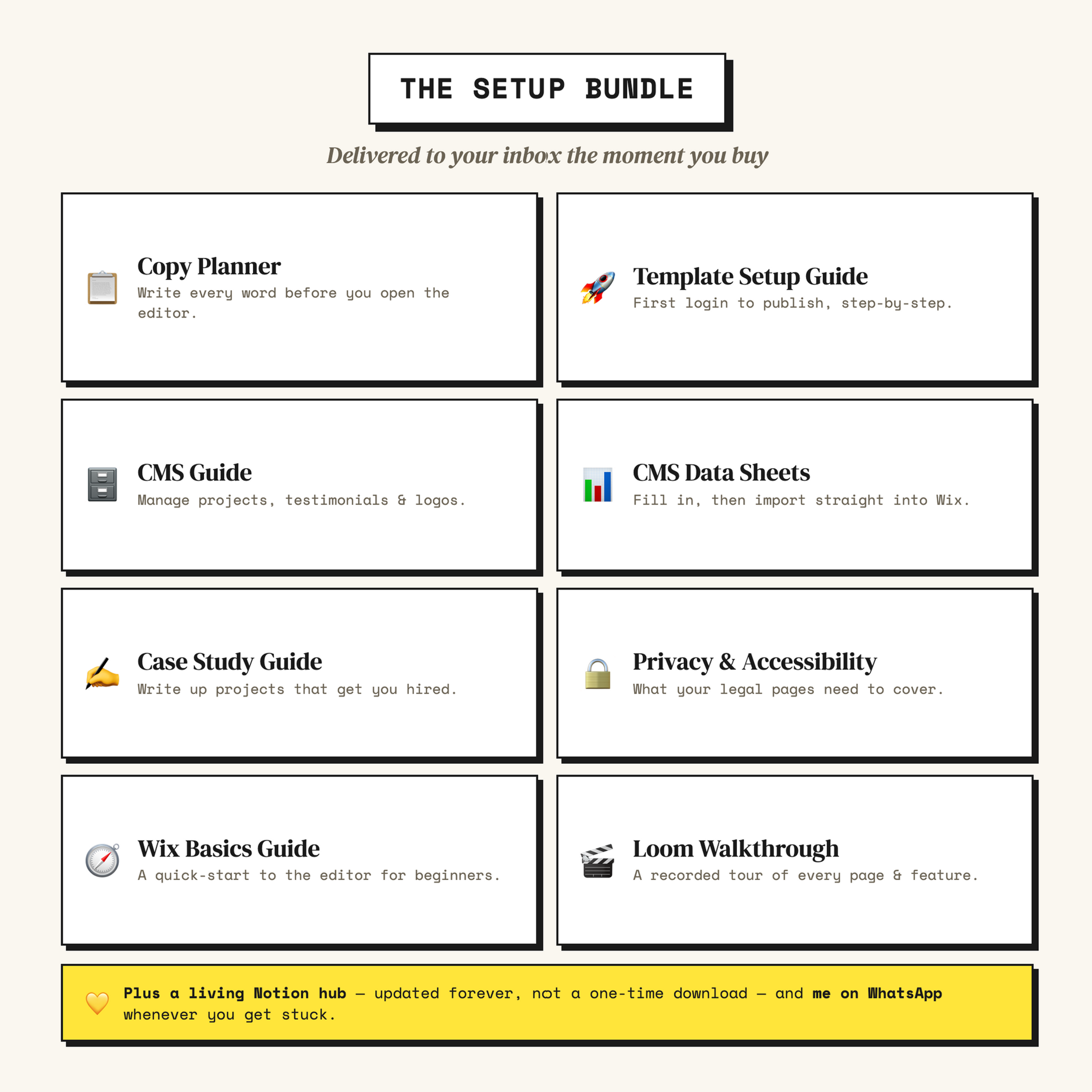
The Setup Bundle -- delivered to your inbox instantly
You'll receive your resources automatically on purchase as downloadable PDFs and a link to your personal Notion resource hub -- a live, always-up-to-date version of everything, organised and ready to work through.
Copy Planner -- write every word on your site before you open the editor
Template Setup Guide -- step-by-step from first login to publish, in plain English
CMS Guide -- how to manage your projects, testimonials, and logos without touching the design editor
CMS Data Sheets -- pre-formatted spreadsheets to fill in your content and import straight into Wix
Case Study Writing Guide -- how to write up projects in a way that actually gets you hired
Privacy Policy and Accessibility Statement Guide -- what your legal pages need to include and how to sort them
Wix Basics Guide -- a quick-start guide to the editor for anyone new to Wix
Loom Video Walkthrough -- a full recorded tour of every page and feature in the template
How the transfer works
Wix templates live inside Wix accounts, so I get yours to you by creating a site in your name and transferring ownership directly to you.
Step 1 -- You purchase. At checkout, enter your Wix account email, choose your co-owner preference, and opt in or out of my mailing list.
Step 2 -- Your bundle lands in your inbox. You'll receive your PDFs and Notion hub link straight away. Get started on the Copy Planner while you wait -- you don't need the template to begin.
Step 3 -- I transfer your site within 3 days. I'll set up your site and send a transfer request to your Wix account. I'll also email you personally to let you know it's on its way.
Step 4 -- You accept the transfer. You'll get an email from Wix with a one-click accept link. You have 3 days to accept -- if it expires, just message me and I'll resend. Once accepted, the template appears in your account and you're ready to go.
Make sure the email at checkout matches your Wix account. No Wix account yet? Create one free at wix.com -- just make sure the email matches.
Co-ownership
As part of the transfer, I become a contributor on your site so I can help you quickly if anything comes up. If you'd prefer I remove myself straight after transfer, select that option at checkout. You can also manage contributor permissions yourself at any time from your Wix dashboard.
After you go live
The Notion resource hub stays with you -- it's a live document, not a one-time download. If I update a guide or add new resources, you'll always have the latest version. And if you get stuck at any point, I'm on WhatsApp.
If you'd like more hands-on help, I also offer a Build It With You session -- a focused 1:1 call where we work through your site together, live. Get in contact for my availability!
View the live template preview
Every page is live and clickable -- including the booking flow, project pages, and blog.
The hard structural work is already done. Every page is built, every section is in the right place, and it's just waiting for you to bring it to life.
Have a question before you buy? Get in touch via the contact page.
As the creator of the template, I have to create a new site in your name and then transfer ownership to you. It can be useful for me to stay on as co-owner in order to help you out efficiently should you need it. You are more than welcome to remove my permissions at any time. Please select 'no' below (co-owner section of the purchase form) if you would like me to remove myself from your site immediately after transfer.
I, irregularly, email my subscribers information on the following topics:
How to level up your website or portfolio
Changes to Wix that website owners should be made aware of
Guides on using new Wix features
My availability to help make changes to your website
If you would like to subscribe to my newsletter, please check the 'yes' box during your purchase.
FAQs
Do I need any coding or design experience? Not at all. Everything is drag and drop, and the full resource bundle and Loom video walkthrough are there to guide you through the whole thing. If you can write a caption and upload a photo, you can absolutely do this.
What happens after I purchase? You'll receive your bundle straight away -- all your PDF resources and your Notion hub link land in your inbox the moment your order is confirmed. Within 3 days I'll transfer the template directly to your Wix account and send you a personal email letting you know it's on its way. You'll then receive an email from Wix with a one-click link to accept the transfer -- you have 3 days to accept it. If it expires or you haven't heard from me, drop me a WhatsApp and I'll sort it immediately.
Do I need an existing Wix account? You'll need one for me to transfer the template to, but it's completely free to create. Head to wix.com, sign up, and make sure the email address you use matches the one you enter at checkout. That's it.
Which Wix plan do I need? Because this template includes a fully built booking system, you'll need the Wix Core plan or above to take payments and use Wix Bookings properly. The free Wix plan also comes with a Wix-branded domain and adverts, which isn't a great look for a professional portfolio. Paid plans are pretty affordable on an annual subscription -- it's a small investment when you think about what your site will be doing for you. Check Wix's current pricing for the latest options.
Can I change the colours, fonts, and layout to match my brand? Yes, completely. Everything is editable in the Wix Studio editor with no coding required. The template is built so that your brand, your colours, and your personality can take centre stage -- you're not fighting against someone else's design choices.
How is this different from the free templates already on Wix? Free Wix templates give you a starting point, but they're usually generic, full of placeholder branding, and built for no one in particular. The Portfolio Launchpad has been built from scratch in Wix Studio specifically for freelancers and creatives -- with the right pages, the right structure, a full booking system, a CMS-powered projects gallery, and a complete setup bundle included. The free template library definitely doesn't come with all of that.
What does CMS-powered mean and why does it matter? CMS stands for Content Management System. In plain English, it means your portfolio projects are stored in a database rather than manually built as individual pages. When you want to add a new project, you fill in a simple form -- title, description, images -- and it appears on your site automatically, already formatted and looking great. You can do this from your phone in about ten minutes.
Can I manage my site from my phone? Yes. Because the portfolio runs on Wix's CMS, you can add, edit, and remove projects using the Wix Owner app. Great for those moments when you've just wrapped a project and want to get it up while it's fresh.
Is the template already mobile optimised? Yes, every page has already been set up to look great on phones, tablets, and desktops. You won't need to do any extra tweaking.
Can I see it before I buy? Yes -- there's a live demo link on this page so you can click through every page, including the booking flow, the project pages, and the blog, before you commit to anything.
Is the privacy policy included and ready to use? The bundle includes a detailed Privacy Policy and Accessibility Statement Guide that explains what these pages need to cover and what's specific to your site. The placeholder text is already in your template -- you just need to personalise it with your real details. The guide also points you to free online generators and official resources to help you get it right. It's not as scary as it sounds, I promise.
Can I add or remove pages? Absolutely. The template comes with everything set up, but you're in full control. Hide or delete anything you don't need, and add new pages any time you're ready.
Do you offer refunds? Because this is a digital product transferred directly to your Wix account, I'm not able to offer refunds once the template has been delivered. If you have any questions before you buy or want to make sure this is the right fit, please message me first -- I'm genuinely happy to help you figure that out before you commit.
Is this a one-off payment or a subscription? One-off payment. The only ongoing costs are your Wix subscription and your domain name, both paid directly to Wix. There's nothing else to pay me after your initial purchase.
How long will it take to get my site live? A lot of people have their site live within a week of receiving the template -- the structure is already there, you're just adding your content and personality. The Loom walkthrough, setup guide, and copy planner are all designed to make that process as quick and painless as possible.
Will the template still work if Wix updates its platform? Yes. This template is built on Wix Studio, which is Wix's most modern and actively developed editor. It gets the most investment and the most new features from the Wix team -- so if anything, your site will only get more capable over time.
Can I use this template for more than one website? The licence covers one website per purchase. If you need it for a second site or want to use it for client work, just get in touch and we can chat about the best way to do that.